Activating a license on macOS
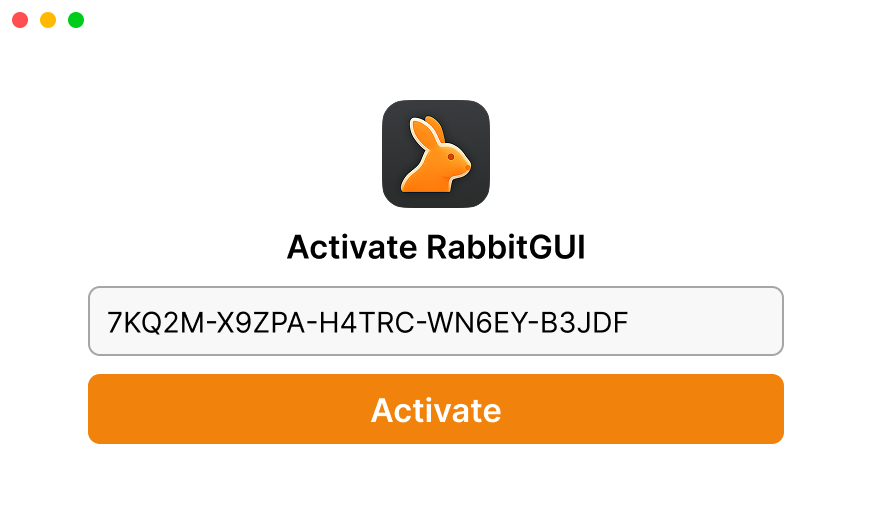
When the state is .missingKey, or the app is locked for a reason the customer fixes with another key, show an activation screen. When the customer submits their key, pass it to setLicenseKey(_:), or to activate(key:) of a LicenseObserver:
struct ActivationView: View {
    @EnvironmentObject private var license: LicenseObserver
    @State private var key = ""
    @State private var error: LicenseError?
    @State private var activating = false

    var body: some View {
        Form {
            TextField("License key", text: $key)
            if let error { Text(message(for: error)).foregroundStyle(.red) }
            Button("Activate") {
                activating = true
                Task {
                    defer { activating = false }
                    do throws(LicenseError) {
                        try await license.activate(key: key)
                        // The state is now .active: the app unlocks.
                    } catch {
                        self.error = error
                    }
                }
            }
            .disabled(key.isEmpty || activating)
        }
    }
}
setLicenseKey(_:) uses typed throws : it only throws a LicenseError. Write do throws(LicenseError) to get the error typed in catch, or catch let error as LicenseError.
What setLicenseKey(_:) does
Cleans the key
Spaces and line breaks around it are removed. Its case is kept: keys are case sensitive. An empty key throws a LicenseError with .validationError, without any request.
Validates it online
It sends the key, the fingerprint, the version, the machine name and the platform to LicenseManager, which registers this Mac as a machine of the license. See validating license keys.
Verifies the token
The token LicenseManager answers with is verified like an offline token: its EdDSA signature with your public key, its product, its key, its fingerprint and its expiration.
Stores the key and the token, and activates
Only on success: the key and the token are stored, the state becomes .active, your observers are notified, and the next renewal is scheduled. It returns the new state, .active.
When LicenseManager can’t be reached, or answers 408, 429 or 5xx, it retries for up to 30 seconds before throwing. Usually it returns in under a second, but show a spinner, and disable the button, while it runs.
On any failure, including the network, it throws a LicenseError, and changes nothing: the stored key, the stored token and the current state stay as they were. A customer whose app is .active and who types a wrong key keeps their working license.
This is the one place where the SDK reports network errors to you. During background validations, a network error never changes anything visible: the SDK keeps running on the stored token. When the customer activates, there’s no token yet, so you must tell them.
The errors
Branch on error.code, never on error.message, which may change.
| Code | What happened | What to show |
|---|---|---|
.notFound | The key doesn’t exist in this product. Usually a typo, a truncated paste, or a key of another product, like a test key in a release build. | “This license key wasn’t recognized. Copy it again from your purchase email.” |
.licenseExpired | The license’s expiration date has passed, or it was canceled. | “This license expired. Renew it to keep using Acme Photo.” |
.versionNotAllowed | The license doesn’t include this version. error.latestAllowedVersion is .version("2.3.1"), the latest version it allows, or .noneAllowed. | “Your license includes Acme Photo up to 2.3.1.” With a download link, or an upgrade link for .noneAllowed. |
.machineLimitReached | The license is active on its maximum number of machines, and this Mac isn’t one of them. | “This license is already used on 2 Macs. Deactivate one in your account to use it here.” With a link to the customer portal. |
.planLimitExceeded | Your organization went over its LicenseManager plan’s limits. Not the customer’s fault. | “Activation is temporarily unavailable. Try again later, or contact support.” |
.validationError | The key is empty, or the request was refused as invalid, like a key over 255 characters. | “Enter your license key.” |
.internalError | Something went wrong on LicenseManager’s side, still after 30 seconds of retries. | “Activation failed. Try again in a few minutes.” |
.networkError | LicenseManager couldn’t be reached, still after 30 seconds of retries, or the server answered an error the SDK doesn’t know. In a sandboxed app, check the network entitlement. | “Couldn’t reach the license server. Check your connection and try again.” |
.invalidResponse | LicenseManager answered without a token, or with a token that failed verification. | “Activation failed. Check your Mac’s date and time are correct.” See below. |
func message(for error: LicenseError) -> String {
    switch error.code {
    case .notFound: "This license key wasn't recognized."
    case .licenseExpired: "This license expired."
    case .machineLimitReached: "This license is already used on its maximum number of Macs."
    case .versionNotAllowed: "Your license doesn't include this version."
    case .networkError: "Couldn't reach the license server. Check your connection."
    default: "Activation failed. Try again in a few minutes."
    }
}
The first four are the locking codes: error.isLocking is true for them. They say something about the customer’s license, and the customer needs to do something: another key, a renewal, another version, a free machine. The others say nothing about the license: the customer can try the same key again later.
See handling validation errors for each server error in detail.
.invalidResponse
The server answered, but its token didn’t pass verification. In practice, it means one of:
- The Mac’s clock is wrong. More than 2 hours behind, the token isn’t valid yet; ahead by more than its lifetime, it’s already expired. Ask the customer to set their date and time automatically.
- The public key doesn’t match, like the key of another organization pasted in your code. Every activation fails: you’ll notice it while testing.
- The product id doesn’t match the product the token is for.
error.status is the HTTP status, 200.
The LicenseError
| Property | Type | What it holds |
|---|---|---|
code | LicenseError.Code | One of the codes above. Its rawValue is the API’s code, like "not_found". |
message | String | The server’s message, or one written by the SDK. For logs, not for your customers. Also localizedDescription. |
status | Int? | The HTTP status, when the server answered. nil for network errors and timeouts. |
latestAllowedVersion | LatestAllowedVersion | For .versionNotAllowed: .version(String) or .noneAllowed. .notApplicable for the other codes. |
isLocking | Bool | true for .notFound, .licenseExpired, .versionNotAllowed and .machineLimitReached. |
Replacing a key
setLicenseKey(_:) works in every state, not only .missingKey. Use it when the customer:
- enters a new key after their license was refused, in
.invalidKey,.expiredor.machineLimitReached, - upgrades to another license, like from a Personal to a Pro license,
- buys a license after a trial license.
On success, the new key and its token replace the old ones. The Mac stays an active machine of the old license on LicenseManager’s side, and keeps one of its places until you or the customer deactivate it.
The SDK has no method to remove the stored key or deactivate the machine. To sign the customer out, see a new computer.
Edge cases
The customer submits twice. Two calls with the same key while the first one runs share one request: both return, or both throw, with the same result.
A key entered while the startup validation still runs. The startup validation’s result is ignored once it comes back: only the new key counts. Simpler: wait for ready() before showing the activation screen, which LicenseObserver does for you with .loading.
A key in lower case. It’s sent as typed, so 7kq2m-… answers not_found when the key is 7KQ2M-…. Generated keys only use upper case letters and digits: if all your keys are generated, upper-case what the customer typed before passing it.
A key with spaces in the middle, like one copied across two lines. Only the spaces around it are removed: clean it up before passing it if your keys never contain spaces.
Activating offline. It’s impossible: the first activation always needs LicenseManager. It throws .networkError, after 30 seconds of retries.