Plans and billing
Your organization subscribes to a plan, which sets how much you can use LicenseManager: how many products, active licenses, API requests, team members and API keys. Every organization starts on the Free plan, and upgrades when it grows.
Plans
| Free | Startup | Standard | |
|---|---|---|---|
| Price, monthly | €0 | €29 / month | €99 / month |
| Price, yearly | €0 | €290 / year | €990 / year |
| Active licenses | 100 | 1,000 | 5,000 |
| API requests, over 30 days | 10,000 | 100,000 | 1,000,000 |
| Products | 3 | 10 | Unlimited |
| Seats | 3 | 10 | 20 |
| API keys | 1 | 3 | Unlimited |
Prices exclude VAT. Yearly billing gets two months free. Need more? Contact us for a custom plan, with limits and a price of its own.
What each limit counts
Open Usage in the sidebar to see your usage of each limit, and your API requests per day.
Active licenses
Licenses validated by a machine in the last 90 days, and not expired. Licenses never validated, or not for 90 days, don’t count, and neither do expired ones: you can create as many licenses as you like, only the ones in use count.
For Acme Studio, a photographer who bought Acme Photo two years ago and stopped using it doesn’t count. They count again the day they open it.
API requests
Requests made with an API key or a token, and key validations, refused ones included, over the last 30 days. Requests made from the app don’t count. See rate limits and quotas.
Products
Every product, test products included.
Seats
The members of your organization, and the invitations waiting for an answer. Expired invitations don’t count.
API keys
Every API key, live and test. Each key can also make up to 10 requests per second, whatever the plan: see rate limit.
Test products count like live ones, for every limit: their licenses, validations and API requests too. Delete the test products you no longer use.
Hard limits and usage limits
Limits work in two ways:
- Products, seats and API keys are refused once you reach them: creating one more answers
402withplan_limit_reached, and the app tells you to upgrade. - Active licenses and API requests are never refused on the spot, because a customer activating your app shouldn’t be the one who pays for it. Going over them starts a grace period.
Change your plan
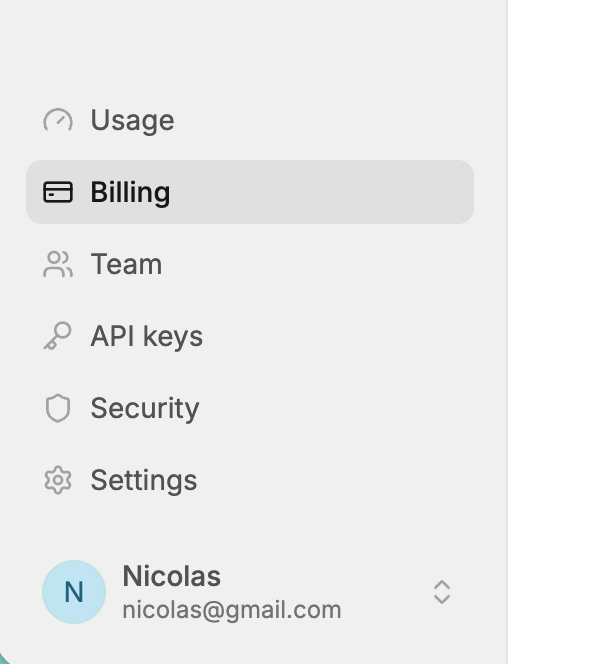
Owners and admins change the plan from Billing, in the sidebar. Other members see the plan and its limits, but can’t change it.
| Change | Applies | Billed |
|---|---|---|
| First subscription | Right away | You enter your payment details in Stripe Checkout. |
| Upgrade, like Startup to Standard | Right away | The prorated difference, charged right away. |
| Monthly to yearly | Right away | The prorated difference, charged right away. |
| Downgrade, like Standard to Startup | At the end of the current period | The new price from then on. |
| Yearly to monthly | At the end of the current period | The new price from then on. |
| Back to Free | At the end of the current period | Nothing more: the subscription is canceled. |
A change planned for the end of the period is shown on the Billing page, with Cancel change, or Keep my plan for a cancellation: until then, you keep your current plan and limits.
Downgrading below your usage, like to Startup with 1,500 active licenses, is allowed: the app warns you. Once the new plan applies, you’re over its limits, and the grace period starts.
Invoices and payment methods
On Billing, click Payment methods & invoices to open Stripe’s billing portal: update your card, your billing address and tax id, and download your invoices. Your billing address is asked when you first subscribe, and taxes are computed from it.
When a payment fails, the plan shows past due, and Stripe tries again and emails you. Your plan and limits are kept meanwhile.
When you go over a limit
For active licenses and API requests:
- At 75% and 90% of a limit, the owners and admins of the organization are emailed once, and a banner appears in the app.
- Over the limit, they’re emailed that you have 7 days to upgrade or reduce your usage. Everything keeps working.
- Still over after 7 days, the organization is blocked: API requests made with an API key or a token, and key validations by your applications, answer
402withplan_limit_exceeded. They’re emailed again.
Going back under the limit ends the grace period, or lifts the block: right away when you upgrade, otherwise at the next hourly check. Going over again later starts a new grace period.
The app is never blocked: your team keeps managing licenses, and can upgrade.
Your applications keep running on their stored license tokens while blocked, if they handle the error like a network error: but customers can’t activate new machines, and tokens aren’t renewed.
Products, seats and API keys only go over their limit after a downgrade. They then follow the same grace period, without the 75% and 90% emails.
Edge cases
Usage is checked every hour. Alerts and blocks come up to an hour after the usage changed.
A license validated again after more than 90 days counts as active again: your active licenses can grow without creating any license.
Expiring licenses lowers your active licenses right away: an expired license never counts.
Several organizations each have their own plan and usage: a test product in one organization doesn’t count in another.