Analytics
LicenseManager turns what it already records, the licenses you create and the validations of their keys, into stats. There’s nothing to set up: they fill in as soon as you sell licenses and your application validates keys.
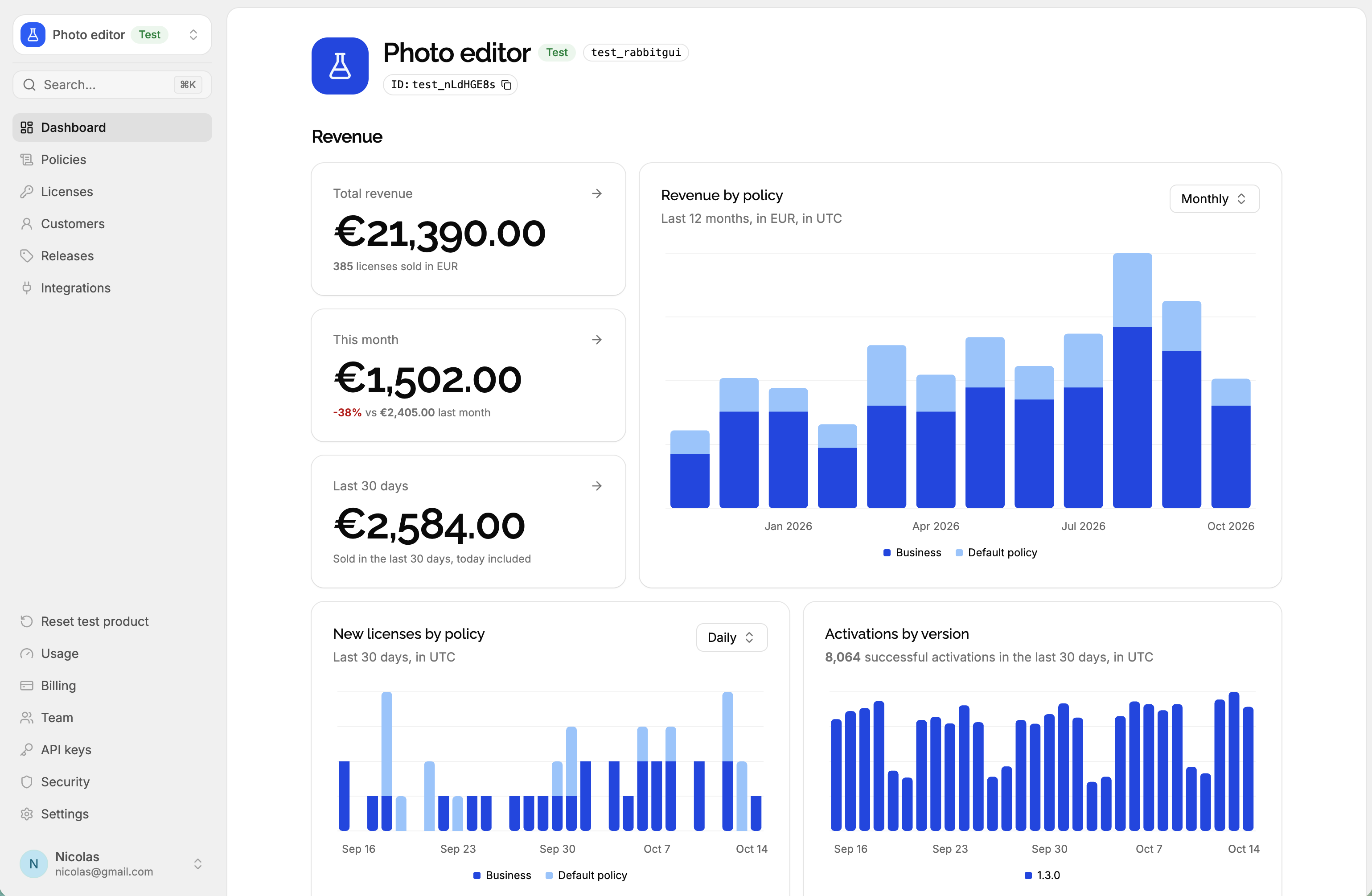
Where to find them
| Where | What it shows | See |
|---|---|---|
| The product’s Dashboard | Licenses, machines and seats, new licenses and activations over time | Usage |
| Active machines and activations by version | Release adoption | |
| Active machines by platform | Platforms | |
| Revenue per currency, over time and per policy | Revenue | |
| The product’s Releases page | Active machines on each release | Release adoption |
| The Analytics tab of a license | Activations of the license by machine and by version | Usage |
The Dashboard is the first page of each product: open the product, or click Dashboard in the sidebar.
What’s counted
The stats share a few definitions:
- Activation: a successful validation of a key, recorded as a
license.validatedevent. Every successful validation counts, not only the first one on a machine: an application validating its key each time it starts counts one activation per launch. Failed validations, and offline validations that never reach LicenseManager, don’t count. - Active machine: a machine that hasn’t been deactivated. Its version and platform are the ones it last validated with.
- Active license: a license that hasn’t expired, and that a machine validated in the last 90 days, like its status.
- Sale: a license with a price, counted on the day it was created.
Days and months are in UTC
Daily and monthly stats are cut at midnight UTC, and labelled in UTC, whatever your time zone. A license created at 11 PM in New York on March 1 counts on March 2.
Counts like Licenses or Active machines are computed when you open the page: reload it to update them.
Each product on its own
Stats are per product: a product’s dashboard only counts its own licenses and machines. A test product has its own stats too, so test sales and test machines never appear in the live product’s analytics.
Click through to the licenses
Most stat tiles, and the rows of Active machines by version, link to the Licenses page, filtered to the licenses they count: click Expiring soon to list the licenses expiring in the next 30 days, or a currency’s Total revenue to list the licenses sold in it.