Revenue
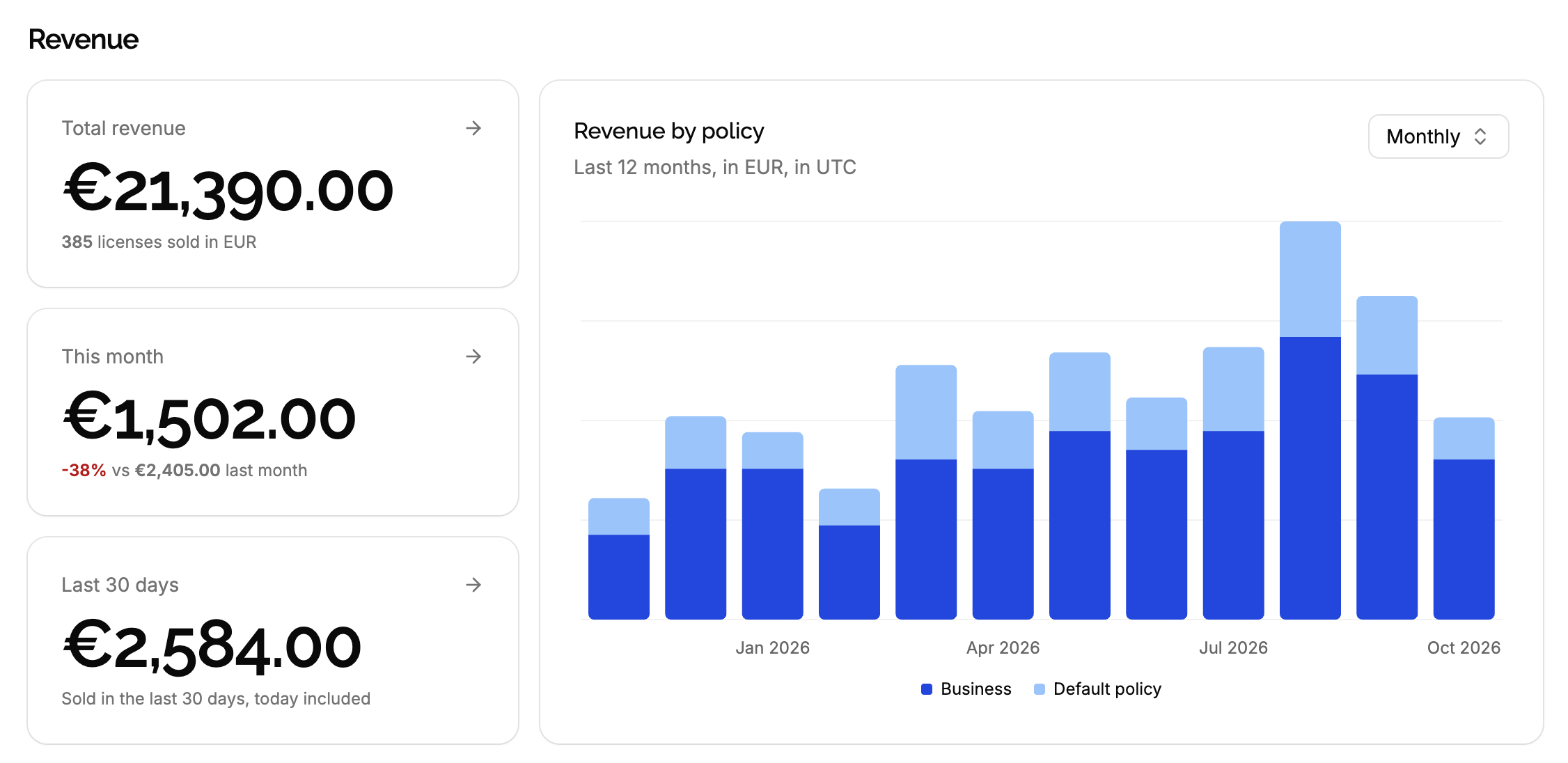
The Revenue section of the product’s Dashboard sums the price of the licenses you sold: in total, this month, over the last 30 days, and as a chart over time, per policy.
Where revenue comes from
Revenue is the sum of the price of each license, counted on the day the license was created:
- Licenses created by Stripe get the price paid, after discounts and before taxes.
- Licenses created in the app or through the API get the price you enter, if any.
- Licenses without a price are left out: use it for licenses that aren’t sales, like trials or licenses given to partners.
- Licenses with a price of 0 count as free sales: they add nothing to the amounts, but count in the number of licenses sold.
The section appears once at least one license of the product has a price.
Revenue is what customers paid, not what you received: it doesn’t subtract payment fees, taxes or refunds. Use Stripe, or your accounting, for your actual income.
Currencies
Each license’s price is in one currency, and amounts are never converted. When you sell in several currencies, a Currency selector appears next to the title: each currency has its own stats. The currency with the most licenses sold is shown first.
The stat tiles
| Tile | What it sums |
|---|---|
| Total revenue | Every license sold in the currency, since the beginning, with their number. |
| This month | Licenses created since the first day of the month, in UTC, compared with the whole previous month. |
| Last 30 days | Licenses created in the last 30 days, today included. |
Click a tile to list the licenses it sums.
This month compares a month in progress with a complete one: on the 10th, a negative change is expected. Compare with Last 30 days for a steadier figure. When nothing was sold last month, it shows No sales last month instead of a change.
The chart
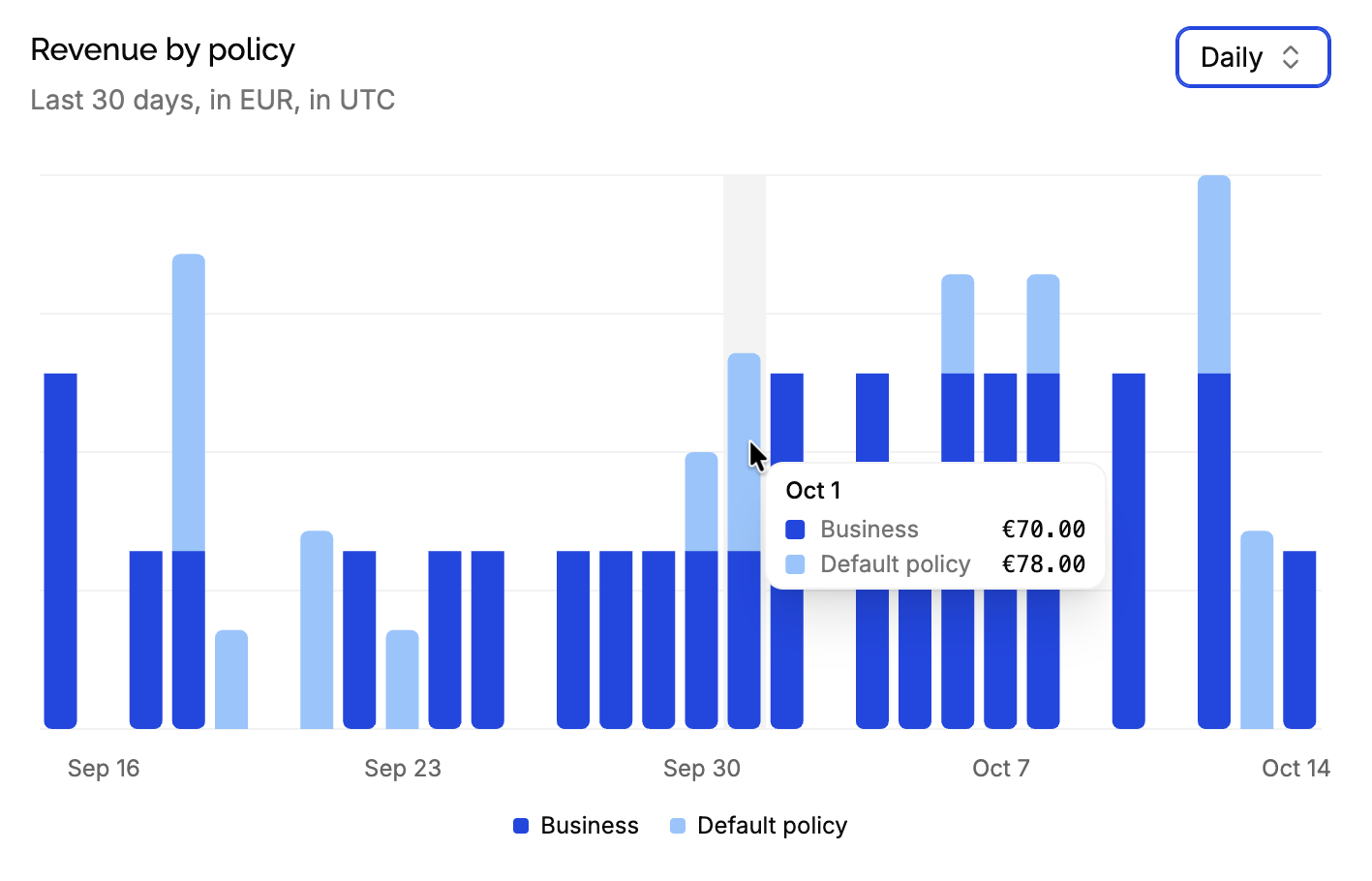
Revenue each month over the last 12 months, or each day over the last 30 days: switch with the Monthly / Daily selector. When the product has several policies, each bar is split by policy, with a legend, and the chart is named Revenue by policy: it tells which offers bring in the most.
Hover a bar to see its amounts.
Edge cases
A license deleted leaves the revenue: its price isn’t counted anymore.
A price edited later changes the revenue of the day the license was created, not of the day it was edited.
A refund doesn’t change the price recorded on the license. To leave a refunded sale out of the revenue, edit the license and clear its price, or delete the license.
Licenses imported from another license manager count on the day they’re created in LicenseManager, not on their original purchase date: a migration shows as a spike. Leave their price empty to keep them out of the revenue.
Test products. A test product has its own revenue: test sales never appear in the live product’s revenue.