Releases and version locks
A release is a version of your product you shipped, like 2.3.1, with the date it was released. Version locks use them to decide which versions each license unlocks, so you can sell “one year of updates” and let customers keep what they got, forever.
For Acme Photo, releases are the versions listed in the changelog: 2.1.0 in March, 2.3.0 in September, 3.0.0 the next summer. A photographer whose Personal license includes one year of updates gets every version during that year. After that, they keep the version they had, like 2.3, forever, and still get its bug fixes, but not 2.4 or 3.0. To know which version that is, LicenseManager needs the list of versions Acme Studio shipped, and when: that list is the releases.
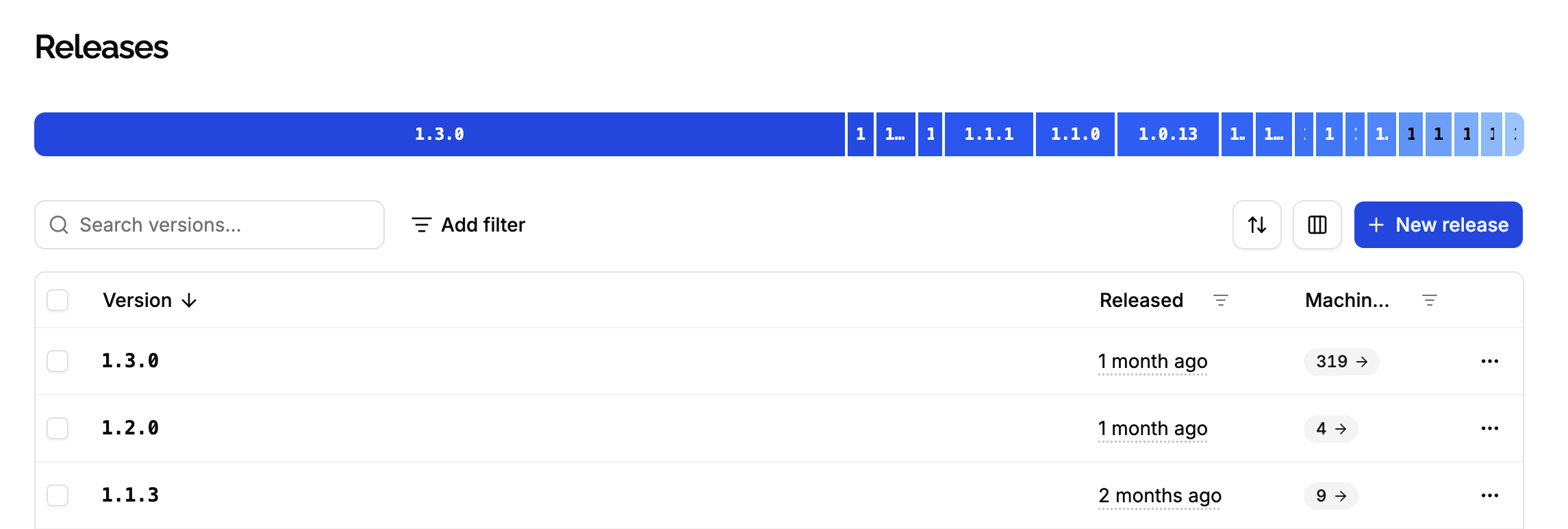
Versions
LicenseManager reads versions as major.minor.patch, following semantic versioning :
- A major version, like
2.0.0to3.0.0, is a new edition: what customers pay for again. - A minor version, like
2.3.0to2.4.0, adds features to an edition. - A patch, like
2.3.0to2.3.1, fixes bugs.
Bug fixes are never blocked. Every limit applies to major and minor versions only: a license allowed to use 2.3 can use 2.3.0, 2.3.1 and every future 2.3.x fix.
What releases do
Releases don’t block anything by themselves: a machine can validate a key with a version that isn’t a release, like an internal build. They’re used for three things:
- Resolving version locks: when a license’s updates end, the latest release by then tells which version it keeps.
- Suggesting a version when a license doesn’t allow the application’s version: the
version_not_allowederror tells thelatestAllowedVersion, the latest release the license allows, so your application can offer to install it. See handling validation errors. - Adoption: how many active machines run each version.
So record each version when you ship it: a lock reached while a release is missing resolves to the previous release.
Create a release
Open the Releases page
Open the product, click Releases in the sidebar, then New release.
Enter the version
A semantic version like 2.3.1, without a v. A dash makes it a pre-release, like 2.4.0-beta.1. Each version is unique within the product.
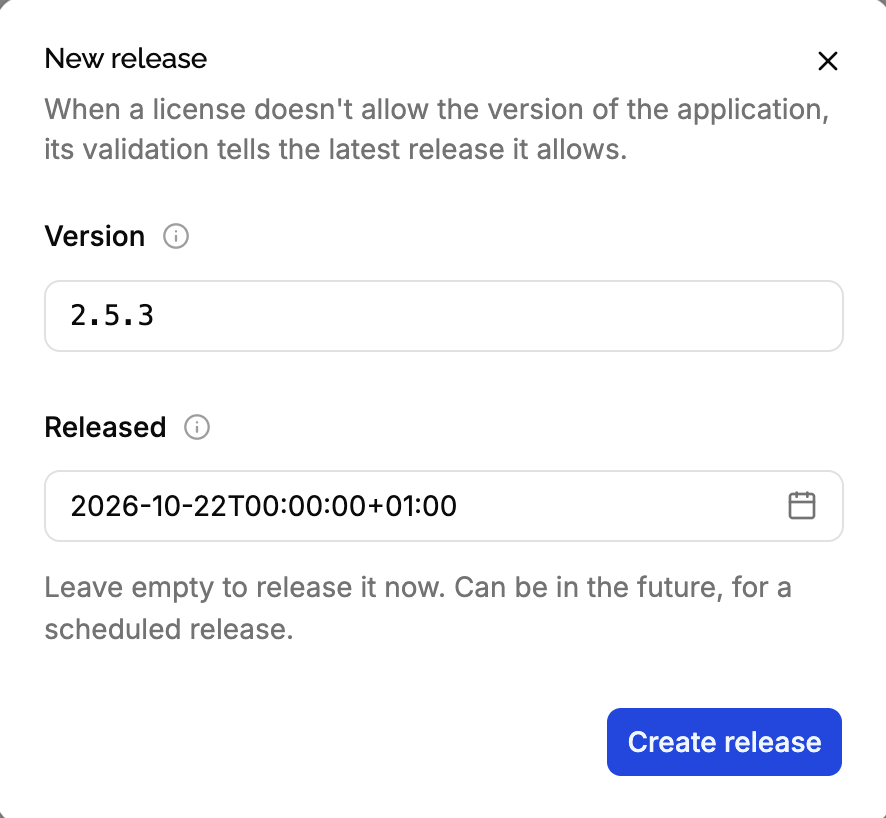
Choose when it’s released
Leave Released empty to release it now. Set a date in the past to record a version you shipped earlier, or in the future to schedule it: a future release is ignored until its date.
You can also create releases through the API, from your build pipeline, so every version you ship is recorded.
Pre-releases
Pre-releases, like 2.4.0-beta.1, are listed, but ignored by version locks and suggestions: a lock never resolves to a beta, and the latestAllowedVersion is never one. When your application validates with a pre-release, it counts as its version: 2.4.0-beta.1 is checked as 2.4.
Version locks
A license’s updates are set by its policy’s updates, and can be changed on the license. They come down to two things:
- A hard-coded version:
2allows every2.x.xversion and older,2.3every2.3.xversion and older. Without one, the license allows every version. - Lock dates, for limited updates: when the major version locks, and when the minor version locks.
How a lock is applied
Before the lock date
The license allows every version, including the ones not released yet.
When the lock date is reached
Within the hour, LicenseManager finds the latest stable release released by the lock date, and hard-codes it on the license:
- When the major version locks, its major version is hard-coded, like
2. The license still gets the minor versions and bug fixes of version 2. - When the minor version locks, its major and minor versions are hard-coded, like
2.3. The license only gets the bug fixes of version 2.3. When a major version was already hard-coded, the latest release of that major version is used.
The lock date is then cleared, and the change is recorded as a license.updated event by Automation.
After the lock date
The license only allows versions up to its hard-coded version. Newer ones fail with version_not_allowed.
A lock that’s reached when the license is created, like with No updates, is applied right away, with the latest release at that moment.
Example
A license is created on March 1, 2026, with a policy giving updates for 1 year, Allow major version updates checked:
| Date | Releases | The license allows |
|---|---|---|
| March 1, 2026 | 2.1.0 | Every version |
| September 1, 2026 | 2.3.0 is released | Every version |
| January 10, 2027 | 3.0.0-beta.1 is released | Every version |
| March 1, 2027 | Latest stable release: 2.3.0 | Lock: 2.3 is hard-coded |
| March 15, 2027 | 2.3.1 is released | 2.3.1: a bug fix of 2.3 |
| June 1, 2027 | 3.0.0 is released | Up to 2.3.x: 3.0.0 and 2.4.0 fail |
With Allow major version updates unchecked, the major version locks when the license is created: it gets 2.x minor versions for a year, then 2.3, and never 3.0.0.
The policy options, as locks
| Policy updates | Major version locks | Minor version locks |
|---|---|---|
| Free updates | Never | Never |
| Allow updates for limited time, major updates allowed | After the duration | After the duration |
| Allow updates for limited time, major updates not allowed | At creation | After the duration |
| No updates | At creation | At creation |
| Up to a fixed version | Hard-coded, like 2 or 2.3 | Hard-coded with 2.3 |
Through the API, the two locks can have different durations, like major updates for 1 month and minor updates for 1 year, or the minor version can never lock. The minor version never locks before the major version. Such policies show as Custom in the app.
A lock reached before any stable release is cleared without hard-coding anything: the license then allows every version, forever. Create your current release before selling licenses with limited updates or no updates, and keep recording releases as you ship them.
Adoption
Each release shows the number of active machines running it: the machines whose last validated version is exactly the release’s version. v2.3.1 and 2.3.1 don’t match: send versions the way you record releases. The product’s dashboard shows active machines by version, releases or not. See release adoption.
Edit or delete a release
Click ⋯ on the release to Edit its version or date, or Delete it.
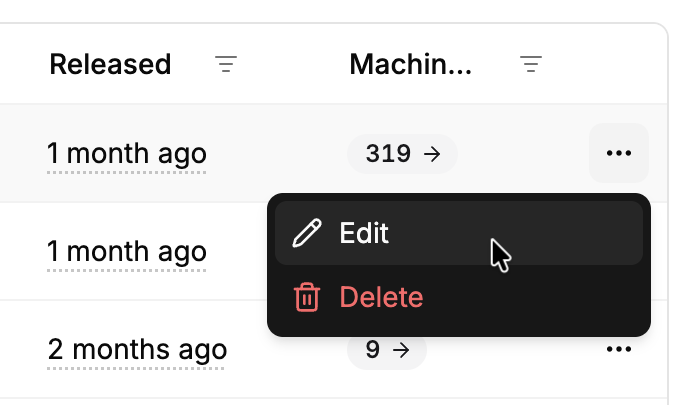
Editing or deleting a release never changes the versions already hard-coded on licenses: it only affects the locks reached afterwards, and the suggested versions.
Checking versions offline
The license token your application receives holds the hard-coded version of the license in its mv claim, like "2.3", or null when it allows every version. Your application can check it before installing an update, without going online. See offline validation.
Edge cases
A version that isn’t semantic, like 2024.1 or build-42. Validation reads the leading numbers: 2024.1 is major 2024, minor 1. A version that doesn’t start with a number is refused when the license has a hard-coded version.
Older versions. Always allowed: a license locked at 2.3 can run 1.8.
A release recorded late. When you record 2.4.0 after a license’s lock was reached, even with a release date before the lock, the license keeps the version it was locked at. Edit the license’s updates to give it 2.4.
A scheduled release. A release dated after a lock date doesn’t count for that lock, even when it’s created before.
Locks are applied hourly. Between the lock date and the next hourly run, the license still allows every version.
Sorting releases. Versions sort by their numbers, then a pre-release before its stable release. Pre-releases of the same version sort as text: 2.0.0-beta.10 before 2.0.0-beta.2.
Test products. A test product starts with copies of the live product’s releases. Releases created later aren’t copied until you reset it.