Mapping prices to policies
A price mapping tells LicenseManager: “when a customer pays this Stripe price, create licenses of this product, with this policy”. Payments of prices you didn’t map are ignored, so you can sell other things through the same Stripe account.
The policy decides what the customer gets: how long the licenses last, how many machines they activate, how long they work offline, which versions they unlock. The price decides what the customer pays.
Which prices can be mapped
A price can be mapped when it is:
- A one-time price. Recurring prices, for subscriptions, can’t be mapped: see renewals.
- Active, of an active product. Archived ones can’t be paid anymore.
- Not already mapped. A price creates licenses of one product only. To sell two products together, create two prices and put both in the same checkout, or create a product for the bundle in LicenseManager.
All kinds of one-time prices work: a fixed amount, a customer-chosen amount (shown as Customer chooses), in any currency.
Several prices can map to the same product and policy, for example the same license in USD and EUR, or a launch price and a regular price. Several prices can also map to different policies of the same product, for example Personal and Business.
Create a mapping
Connect Stripe first. Then:
Open the Integrations page
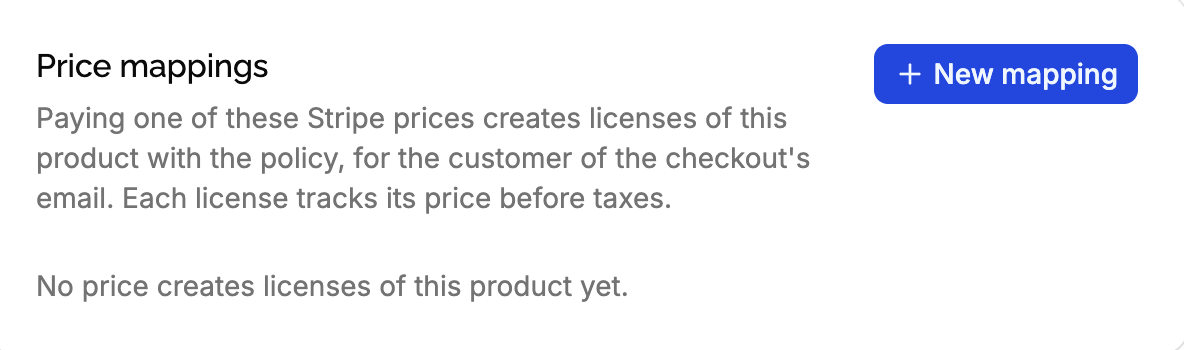
Open the product the licenses are for, click Integrations in the sidebar, then New mapping in the Price mappings card.
Choose the Stripe price
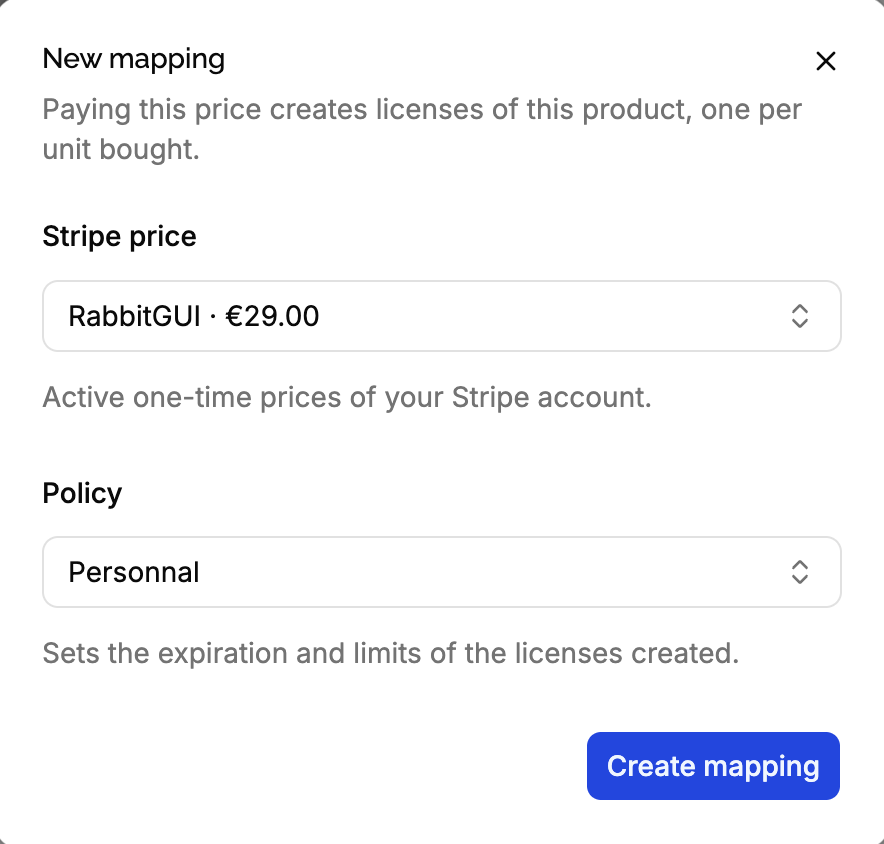
The Stripe price list shows the prices that can be mapped, fresh from your Stripe account, as Product name (price nickname) · amount. Prices already mapped, to this product or another one, are shown but can’t be chosen.
Don’t see your price? Check it’s in the right mode (a live product lists live prices), it’s one-time, and it and its product are active. The list shows up to 500 prices.
Choose the policy
The Policy list shows the policies of the product, with the default one preselected.
Create the mapping
Click Create mapping. From now on, paying the price creates licenses of the product with that policy.
What a mapping creates
When a customer pays a checkout containing a mapped price, for each line item of a mapped price, LicenseManager creates as many licenses as the quantity bought, each with:
- The product and policy of the mapping, with the policy’s expiration, machine limit, offline duration and version limits.
- The customer of the checkout’s email, created when the product has none with this email.
- The price paid for one license: the line item’s total after discounts and before taxes, divided by the quantity. A customer paying $90 for 2 licenses with a 10% coupon, plus taxes, gets 2 licenses of $45 each.
- The Stripe payment it was paid with.
See payments for the whole flow.
Change the policy of a mapping
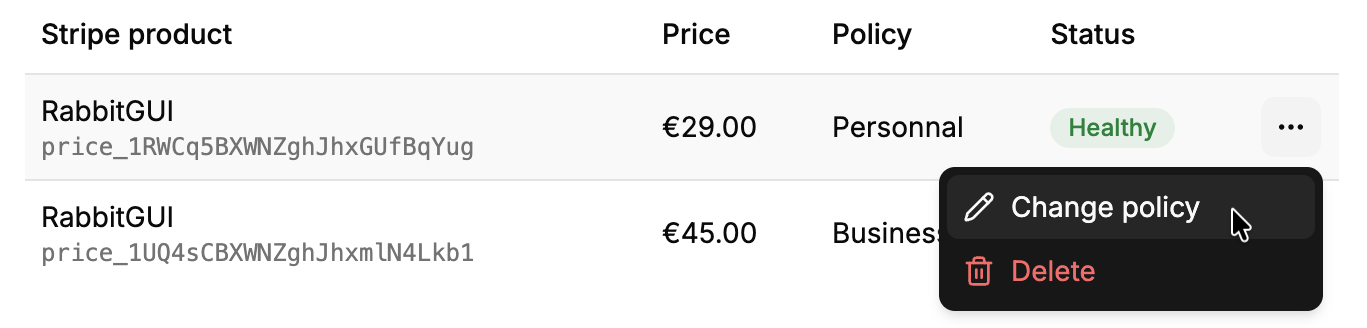
Click ⋯ on the mapping, then Change policy. Only the licenses created afterwards follow the new policy: the licenses already created keep theirs, with their expiration date and limits. See policies and licenses.
To change the price instead, delete the mapping and create a new one.
Delete a mapping
Click ⋯ on the mapping, then Delete. Paying the price no longer creates licenses, but customers can still pay it in Stripe: archive the price or deactivate the Payment Link too. The licenses already created stay.
Deleting a policy also deletes the mappings using it: paying their prices no longer creates licenses.
Mapping statuses
LicenseManager watches the mapped prices, with the events of the webhook, and flags a mapping when its price can no longer be paid:
| Reason | Fix |
|---|---|
| The price is archived in Stripe | Unarchive it, or delete the mapping. |
| The price was deleted in Stripe | Delete the mapping. |
| The product is archived in Stripe | Unarchive it, or delete the mapping. |
| The product was deleted in Stripe | Delete the mapping. |
Unarchiving the price or product in Stripe clears the flag on its own. While a mapping is flagged, the integration shows Error too, which is expected when you retired a price on purpose: delete its mapping to clear it.
To change a price’s amount, Stripe has you create a new price and archive the old one. Map the new price, then delete the old mapping.
Edge cases
A checkout with mapped and unmapped prices. Only the line items of mapped prices create licenses. The rest of the checkout is ignored.
A checkout with prices of several products. Each line item creates licenses of its mapping’s product, all for the same customer email, and their keys are emailed together.
The same price in two products. Not possible: a price maps to one product only. Create a second price.
A price of the other mode. A live product only lists and maps live prices, and a test product test prices.
The policy is deleted while a payment is processed. The payment creates no license, and the integration shows the error. Create the licenses manually.