Authentication
The LicenseManager API is a REST API described by an OpenAPI 3.1 document.
All endpoints are served under /v1.
Authentication
Authenticate with an organization API key, sent in the x-api-key header or as a
bearer token:
curl https://api.licensemanager.dev/v1/products \
  -H "x-api-key: $API_KEY"

curl https://api.licensemanager.dev/v1/products \
-H "Authorization: Bearer $API_KEY"The license validation endpoint is public: it is meant to be called from your application and doesn’t take an API key. See validating license keys.
A missing key answers 401 with unauthorized, and a key that doesn’t exist or was revoked 401 with invalid_api_key.
Create an API key
Open the API keys page
In the sidebar, click API keys. Only owners and admins see it.
Create the key
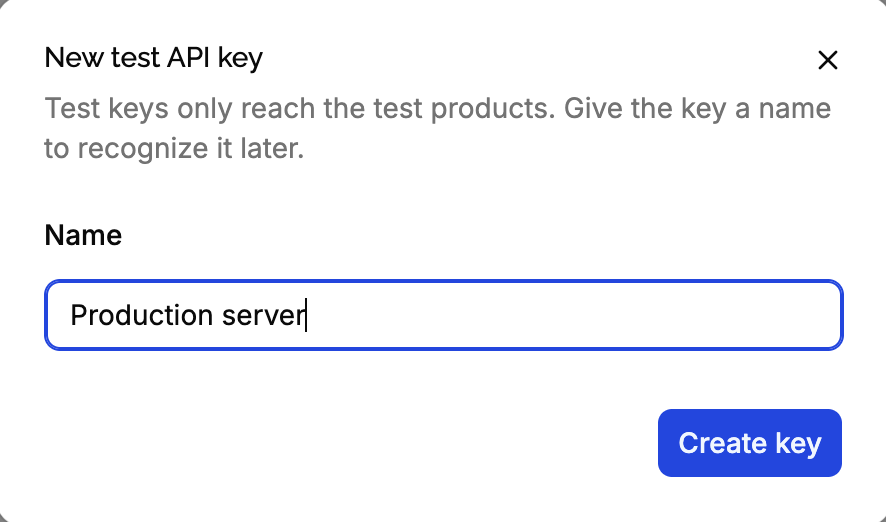
Click New API key, and give it a name telling where it’s used, like Production server or CI, up to 32 characters.
Copy it
The key is shown once. Copy it to your server’s secrets right away: LicenseManager only keeps a hash of it, and can’t show it again. Lost it? Revoke it and create another one.
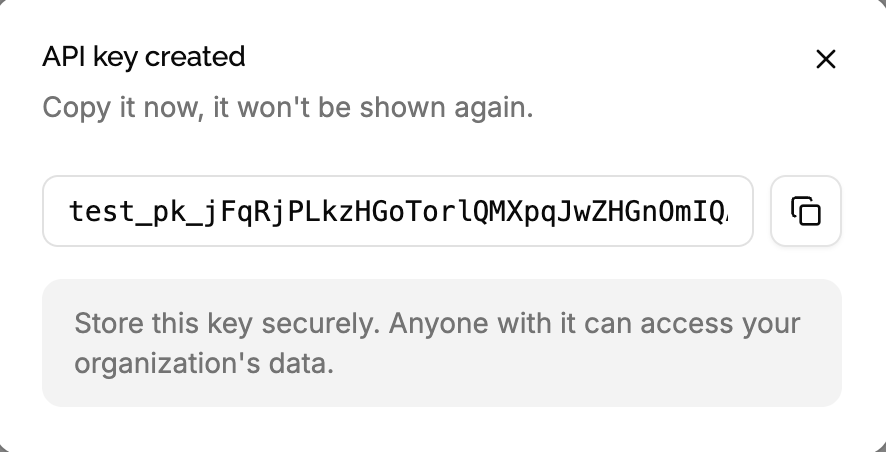
Live keys start with pk_. API keys count toward the API keys limit of your plan, and each one can make up to 10 requests per second: over it, requests answer 429 with rate_limited.
Live and test keys
API keys are live or test, and only reach products of their mode:
| Live key | Test key | |
|---|---|---|
| Starts with | pk_ | test_pk_ |
| Reaches | Live products | Test products |
| Created from | The API keys page, with a live product selected | The API keys page, with a test product selected |
A request for a resource of the other mode answers 404, as if it didn’t exist. Listing products only lists the ones of the key’s mode, and creating a product of the other mode is refused with 403 and api_key_mode. See test API keys.
API keys and roles
API keys belong to the organization, not to a member: they can do everything in the organization, whatever the role of who created them. Only owners and admins can create and revoke them.
Requests made from the app, with a session, are limited by the user’s role. A request the role doesn’t allow is refused:
// 403 Forbidden
{
  "error": {
    "code": "insufficient_role",
    "message": "Your role in this organization doesn't allow this action (needs license:update)"
  }
}
The API reference lists the permission each endpoint needs.
Revoke an API key
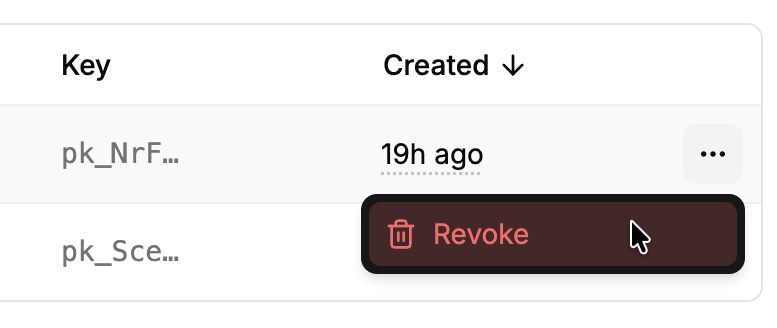
On the API keys page, click ⋯ on the key, then Revoke. Requests made with it are refused right away with invalid_api_key.
The events it caused stay, shown as Deleted API key. To replace a key without downtime, create the new key, deploy it, then revoke the old one.
Keeping keys safe
- Only use API keys on your servers. Never in your desktop or mobile application, a web page, or a public repository: anyone could extract it and create licenses, or delete them.
- One key per system, named after it: you can revoke one without touching the others, the events tell which system did what, and each one gets its own rate limit.
- Test keys for everything that isn’t production: a staging environment with a test key can’t touch a real customer.
- For what runs in your customers’ hands, use the public validation endpoint, or a scoped token limited to one customer.
Other credentials
| Credential | Used by | See |
|---|---|---|
| API key | Your servers | This page. |
| Scoped token | Your customers, through the customer portal or your own pages | Scoped tokens. |
| Session cookie | The app | Limited by roles. |
| Nothing | Your application validating keys | Validating license keys. |
A few endpoints, like the ones managing your subscription, only work from the app: an API key gets 403 with session_required.