Validating license keys
Validating a key is the one request your application makes to LicenseManager. It checks that the license can be used on this device, with this version of your application, registers the device as an active machine, and returns a license token: a signed proof your application keeps and checks offline.
The request
curl -X POST https://api.licensemanager.dev/v1/products/x7Kp2QaZ/validate-key \
  -H "Content-Type: application/json" \
  -d '{
    "key": "7KQ2M-X9ZPA-H4TRC-WN6EY-B3JDF",
    "fingerprint": "4c32758f9a1e…",
    "version": "2.3.1",
    "name": "Jane'\''s MacBook",
    "platform": "macOS"
  }'
x7Kp2QaZ is the id of your product. The request needs no authentication: no API key, no token. Copy the exact URL from the Security page of the app.
See the API reference for the full request and response schemas.
| Field | Required | What it is |
|---|---|---|
key | Yes | The license key, as the customer entered it, trimmed. Keys are case sensitive. Up to 255 characters. |
fingerprint | Yes | Identifies the device. See machine fingerprints. Up to 255 characters. |
version | Yes | The version of your application, like 2.3.1. Checked against the license’s updates. Up to 100 characters. |
name | No | A name for the machine, like Jane’s MacBook, shown to you and in the customer portal. |
platform | No | The machine’s platform, like macOS or Windows. |
Values are trimmed before they’re checked. name and platform replace the current ones when sent, and are kept when left out: they can’t be cleared.
The response
On success, 200 with the license token:
{
  "license": "eyJhbGciOiJFZERTQSIsInR5cCI6IkpXVCIsImtpZCI6Ims4UjJ2TnFXIn0…"
}
Store it, in a file of your application’s data folder or the system keychain, and verify it on every launch. It’s valid for the license’s max offline duration, or until the license expires if that’s sooner.
On failure, an error with a code to branch on: see handling validation errors.
What LicenseManager checks
The checks run in this order, and the first failure answers:
The key exists in the product
Else 404 with not_found. A key of another product, even of the same organization, doesn’t exist for this one.
The license hasn’t expired
Else 403 with license_expired.
The license allows this version
Else 403 with version_not_allowed, and the latestAllowedVersion your application can offer to install. See releases.
The machine has a place
The machine is already active on the license, or the license has fewer active machines than its max machines. Else 403 with machine_limit_reached.
On success, the machine with this fingerprint is created, or activated again when it was deactivated, and its version, last validation and, when sent, name and platform are updated. The license’s Last activated date is updated too.
When to validate
| When | Why |
|---|---|
| The customer enters their key | To unlock the application, and register the machine. |
| Before the stored token expires | To get a new one. Validate at least as long before it expires as your customers may stay offline: if they can spend 3 days offline, validate when 3 days are left, like after 4 days for a 1 week token. Otherwise, a customer going offline right before the refresh only has a few hours left. |
| On launch, when online, if you want changes to apply sooner | An expired license or a deactivated machine is only noticed at the next validation. |
| After updating to a new version | To check the license includes it, and keep the machine’s version up to date in your stats. |
Validating doesn’t consume anything: validating 10 times a day on the same machine is the same machine. Each validation counts as one API request toward your plan’s quota, though, so don’t validate on every action.
A failed request isn’t a refused license. When the request fails because the device is offline, or LicenseManager can’t be reached, keep using the stored token until it expires. Only lock the application on an error answered by LicenseManager.
Edge cases
Two validations at once on new machines. They’re counted one after the other: a license with one place left accepts one of them, and refuses the other with machine_limit_reached.
A machine already active, on a license whose max machines was lowered. It’s never refused for the limit: only new or deactivated machines are.
A key with spaces or in lower case. Trim it, but don’t change its case: 7kq2m-… isn’t 7KQ2M-…. Generated keys only use upper case letters and digits, so your application can upper-case what the customer typed if all your keys are generated.
Validating against the wrong product. A key of your test product validated against the live product’s id answers not_found, and the opposite too.
The organization is over its plan. When your organization stays over its plan’s limits after the grace period, validations answer 402 with plan_limit_exceeded. Treat it like LicenseManager being unreachable: keep the stored token. See plans and billing.
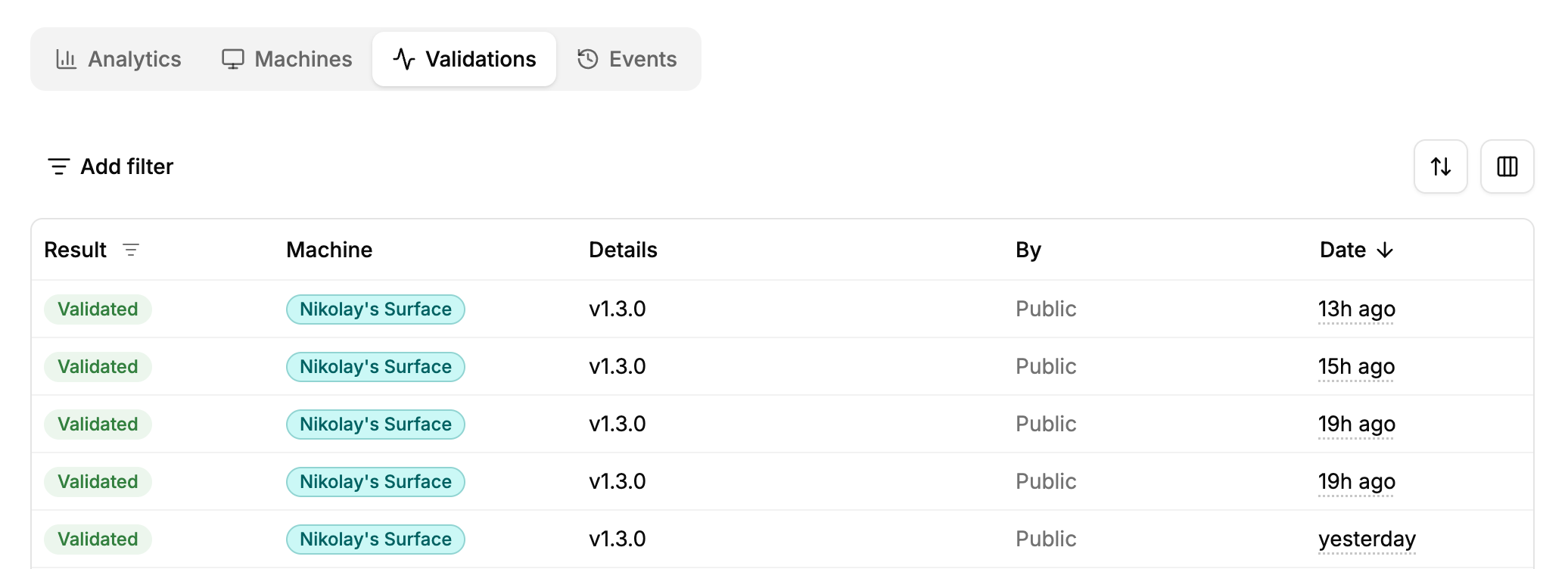
What’s recorded. Each success is a license.validated event, each failure a license.validation_failed one, except for keys that don’t exist. Both show in the Validations tab of the license.