Customers
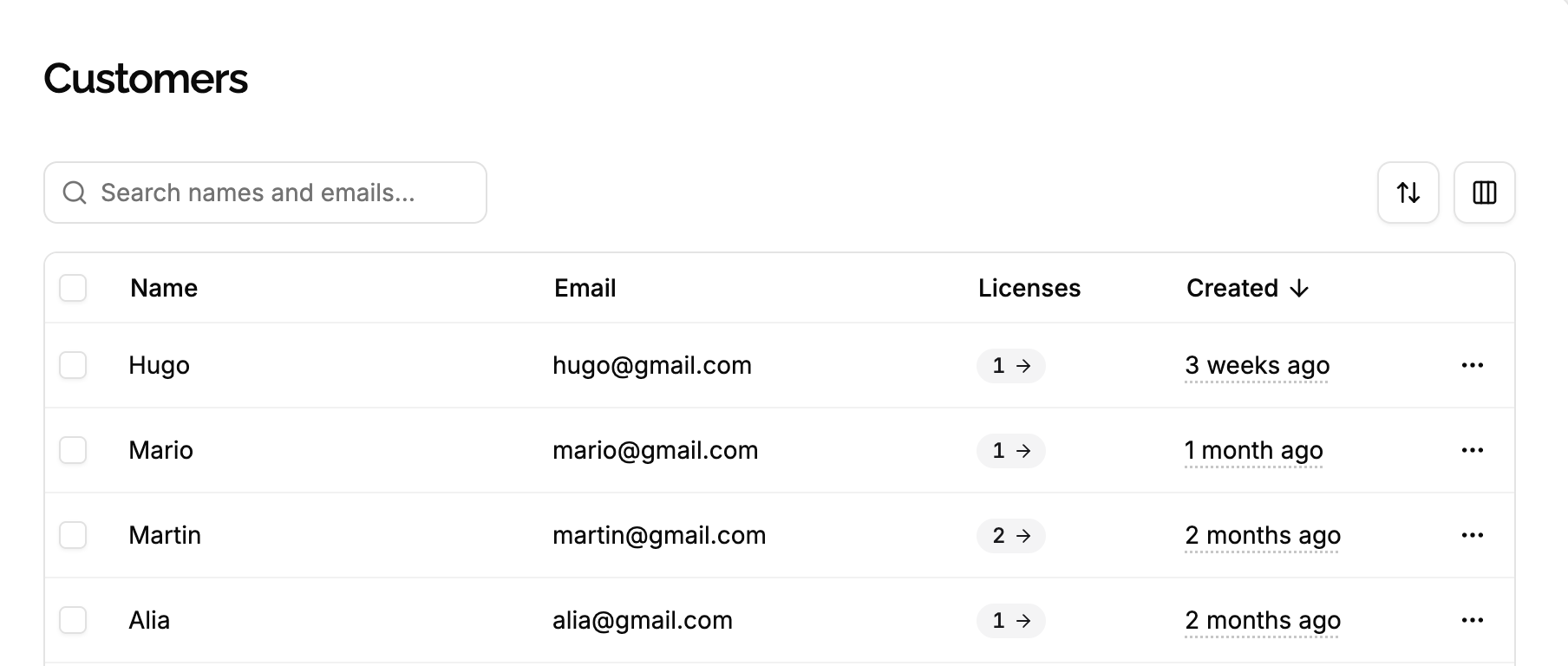
A customer is whoever holds licenses of a product: a person, or a company buying for its team. A customer is identified by their email, and every license belongs to exactly one customer.
For Acme Photo, a customer is a photographer who bought it, known by their email. Their customer lists every license they hold, like a Personal license bought last year and a Business one bought for their studio, and it’s how they find their keys again in the customer portal.
How customers are created
You rarely create customers yourself: they’re created along with their first license. Whenever a license is created for an email, the customer of the product with this email gets it, and is created when there’s none:
- When you create a license in the app, with its Customer email.
- When you create a license through the API, with its
email. - When a customer pays through Stripe, with the email of the checkout.
So a customer buying twice with the same email has both licenses on the same customer, whichever way they were created.
Emails are compared regardless of case and stored in lower case: Jane@Example.com and jane@example.com are the same customer.
One customer per product
Customers belong to a product. A person buying two of your products is two customers, one in each product, with the same email. Each one only shows the licenses of its product, and the customer portal of each product only shows that product’s licenses.
A photographer who buys Acme Photo and then Acme Studio’s video converter is a customer of each product, with the same email: Acme Photo only shows their Acme Photo licenses, and the video converter only shows theirs.
Settings
Unique within the product. It’s how the customer is found when a license is created, and how they sign in to the customer portal to see their licenses and deactivate their machines.
Changing a customer’s email changes who can sign in to the portal with it. If the new email is wrong or isn’t theirs, they lose access to their licenses, and someone else may get it. The app asks you to confirm.
After a change:
- Their licenses stay theirs: licenses reference the customer, not the email.
- New licenses for the old email create a new customer. This includes Stripe payments made with the old email.
- Changing it to an email another customer of the product already uses is refused. Customers can’t be merged.
Name
A display name, like Jane Doe or Acme Inc., optional. Shown in the app and in the emails sending license keys.
A Stripe payment sets it from the checkout’s name when the customer has none, and never replaces a name you set.
Stripe customer
Set when the customer bought through the Stripe integration as a Stripe customer, linking to them in the Stripe dashboard. It stays empty for guest checkouts, where Stripe creates no customer. It’s set once, by the first purchase that has one.
What you can do with a customer
- See their licenses, from the customer panel or by filtering the licenses on the customer.
- Send them their keys: select their licenses, then Send key. They receive one email listing every selected key.
- Generate a portal link: a link that signs them in to the customer portal without entering their email, until it expires. Anyone with the link can see their licenses and deactivate their machines, and it can’t be revoked. Copy it, or click Send to customer to email it.
In a test product, keys and portal links are only emailed to customers whose email is a member’s of your organization.
- Edit their email and name.
Delete a customer
A customer can only be deleted when no license belongs to them: delete their licenses first.
Once deleted, their portal links and other customer tokens stop working. A new license for the same email creates a new customer.
Since customers are created with their licenses, you rarely need to delete them, except for privacy requests.
Edge cases
A team buying for its members. The buyer is the customer, holding every license. To give each member their own customer, and their own access to the portal, create each license with the member’s email instead.
Typos in emails. A license created for jane@exmaple.com creates a customer with this email. Edit the email: the license follows the customer.
A customer with no license left. After their licenses are deleted, the customer stays, with no licenses. Delete it, or keep it: the next license for the same email reuses it.
No events. Customers have no events: the creation of their licenses is recorded on each license, with the customer it belongs to.