 LicenseManager
Shipping a desktop app means shipping updates. Customers won’t check your website for a new version, so the app has to find it, download it, and install it. Electron gives you several ways to do it, and the right one depends on how you package your app and where you host your releases.
How auto updates work
Every updater follows the same steps:
- The app asks an update server whether a newer version exists, sending its current version and platform.
- The server answers with the latest version, and where to download it.
- The app downloads the update in the background, and verifies it.
- The update is installed when the app quits, or right away when the customer clicks “Restart”.
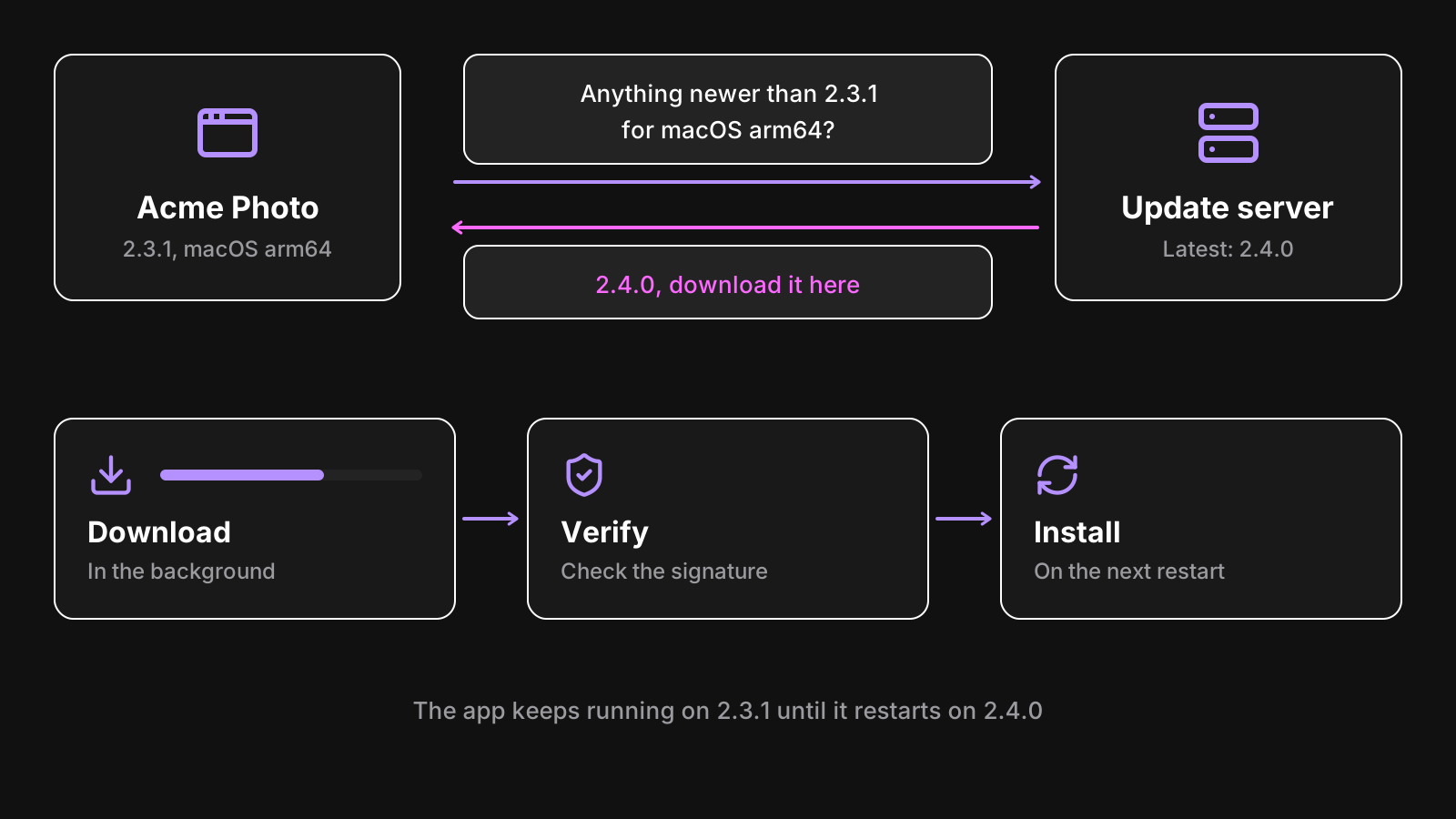
What changes between the options is the update server, the format of the files on it, and the installers they work with.
Option 1: Electron’s built-in autoUpdater
Electron ships an autoUpdater module, built on Squirrel: Squirrel.Mac on macOS, Squirrel.Windows on Windows. There’s no Linux support: Linux users update through their package manager.
import { app, autoUpdater } from "electron";

const server = "https://updates.example.com";
autoUpdater.setFeedURL({
  url: `${server}/update/${process.platform}/${app.getVersion()}`,
});

autoUpdater.on("update-downloaded", () => {
  // Ask the user, then:
  autoUpdater.quitAndInstall();
});

app.whenReady().then(() => autoUpdater.checkForUpdates());
It needs a server that speaks Squirrel’s format: a JSON answer on macOS, a RELEASES file on Windows. You can run one, like Hazel or Nuts, which read your GitHub releases.
update.electronjs.org
For open source apps on GitHub, the Electron team runs a free update server, update.electronjs.org. Add the update-electron-app package, publish releases on a public GitHub repository, and you’re done:
import { updateElectronApp } from "update-electron-app";

updateElectronApp();
It only works with public repositories, and with Squirrel-based installers: Electron Forge’s default makers fit. For a paid app with a private repository, you need another host.
Option 2: electron-updater
electron-updater is the updater of electron-builder. It’s not tied to Squirrel, and it supports more targets:
- macOS: DMG and ZIP (the ZIP is what’s used to update).
- Windows: NSIS installers, the default of electron-builder.
- Linux: AppImage, deb and rpm.
It doesn’t need a dedicated server either: electron-builder publishes a latest.yml file next to your installers (latest-mac.yml and latest-linux.yml on the other platforms), and the updater reads it. Any static host works: GitHub releases, including private ones with a token, S3, DigitalOcean Spaces, or a plain HTTPS server.
publish:
  provider: s3
  bucket: acme-photo-releases
import { autoUpdater } from "electron-updater";
app.whenReady().then(() => {
autoUpdater.checkForUpdatesAndNotify();
});checkForUpdatesAndNotify() downloads the update and shows a system notification once it’s ready. For more control, listen to its events: update-available, download-progress, update-downloaded, error.
electron-updater also supports differential downloads on Windows and macOS, through .blockmap files: only the changed parts of the app are downloaded, which makes updates of a 150 MB app much lighter.
Which one should you use?
| Built-in autoUpdater | electron-updater | |
|---|---|---|
| Packaged with | Electron Forge (Squirrel makers) | electron-builder |
| macOS | Yes | Yes |
| Windows | Squirrel.Windows | NSIS |
| Linux | No | AppImage, deb, rpm |
| Server | Squirrel-compatible server, or update.electronjs.org | Any static file host |
| Private releases | With your own server | With a token, or a private bucket |
| Differential updates | No | Yes |
| Staged rollouts | Depends on the server | Yes, with stagingPercentage |
The short answer: use the updater that comes with your packaging tool. If you use electron-builder, use electron-updater. If you use Electron Forge for an open source app, use update.electronjs.org. For a closed source app on Forge, either run a Squirrel-compatible server, or use a hosted update service. See electron-builder vs Electron Forge if you haven’t picked one yet.
Updates need code signing
On macOS, the updater checks that the update is signed by the same Developer ID as the running app, and refuses it otherwise. An unsigned app can’t auto update on macOS at all.
On Windows, electron-updater checks the publisher name of the new installer against the running app’s. Renewing your certificate under a slightly different company name breaks updates for everyone already installed. List both names in win.publisherName during the transition.
See how to code sign and notarize an Electron app for the setup.
Rolling out safely
An auto update reaches every customer within hours. A broken one too. A few habits limit the damage:
- Stage the rollout. electron-updater reads a
stagingPercentageinlatest.yml: set it to 10, watch your crash reports, then raise it. For new features inside a release, feature flags do the same without a new build. - Keep a channel for testers. Publish betas to a
betachannel, and let customers opt in from your settings withautoUpdater.channel = "beta". - Never block startup on the update check. Check in the background, after the window is shown. A slow update server shouldn’t slow down your app.
- Let the customer choose when to restart. Install on quit by default, and offer a “Restart now” button.
- Test the update path, not just the new version. Install the previous release, then update it. Most update bugs are in the migration of settings and data.
Updates and licenses
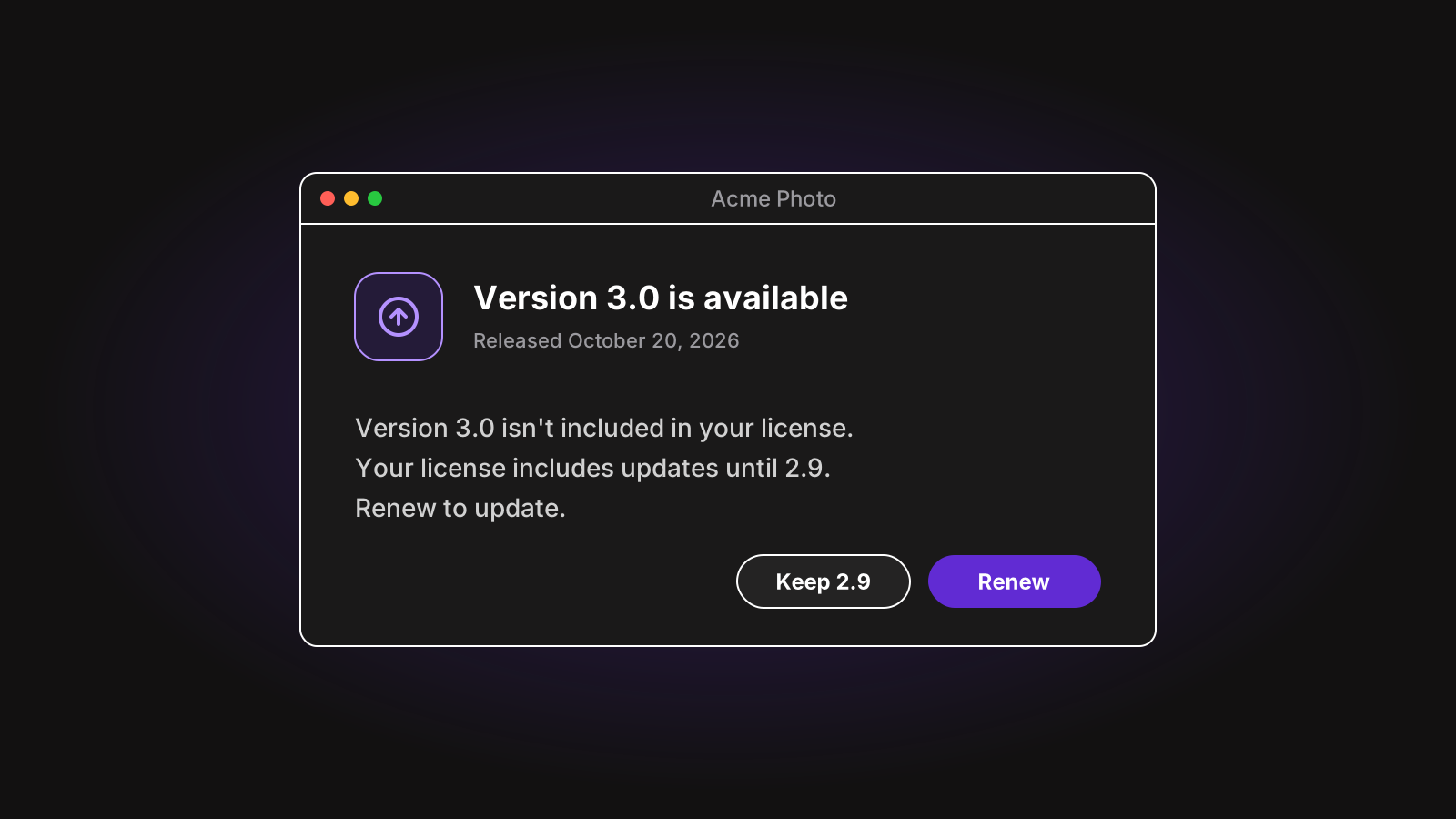
If you sell perpetual licenses with a year of updates, the updater and the license have to agree. Two common approaches:
- Only offer updates the license covers. Your update server checks the license before answering. That needs a custom server.
- Offer every update, and let the app explain. The new version validates the license on launch, and when it isn’t included, tells the customer which version their license allows and how to renew.
The second is simpler and works with any static host. With LicenseManager, a license that doesn’t include a version is refused with version_not_allowed, along with the latest version it allows, so your app can offer to renew or link to the right download. See releases.
Wrapping up
Pick the updater that matches your packaging tool, host your releases somewhere static, sign every build, and roll out progressively. Most Electron apps never need more than that.